


User experience in video games: UX, UI, and 3D design applied to gaming

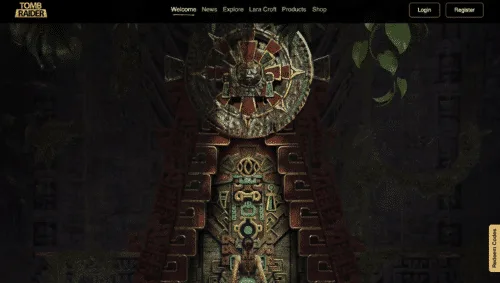 In video games, the experience does not begin when the player presses Start. It begins much earlier: in how they understand the game, how they interact with it, and how they feel while using it.Good UX/UI design and the intelligent use of 3D are not just "aesthetic layers"; they are part of the system that ensures a game is remembered, recommended... or abandoned.Many studios have a powerful idea, polished visuals, and solid mechanics, but they fail in one key area: how the game is experienced from the user's perspective. This is where user experience, interface, and interactive design come into play.At Several.pro, we approach design for video games from a clear premise: if the player does not understand, flow, or feel, the game loses value, no matter how good the concept is.
- Why user experience is key in video games (beyond the visuals)
- What makes a video game experience truly work
- The role of 3D in the player experience
- Common mistakes in video game UX/UI
- How we approach UX/UI and 3D design for video games at Several.pro
- UX and UI also matter outside the game
- Do you want to improve your video game's experience?
Why user experience is key in video games (beyond the visuals)
In video games, UX does not just mean "clear menus." It means:- That the player understands what is happening without overthinking
- That the learning curve does not break immersion
- That the interface supports the gameplay rather than obstructing it
- That every interaction has meaning and feedback
- Players who abandon within the first few minutes
- Constant doubts regarding controls or systems
- Cluttered or confusing interfaces
- Menus that break the rhythm of the game
- A feeling of "this should be easier"
- Action flow
- Pacing
- Clarity of objectives
- Learning curve
- Sense of control
- HUD
- Menus
- Indicators
- Visual hierarchy
- States and feedback
- Understandable spaces
- Depth and scale
- Visual navigation
- Clear interactive elements
- Immersion without saturation

What makes a video game experience truly work
Clarity from the first contactIn the first few minutes, the player should understand:- What type of game it is
- What is expected of them
- What makes it special
- Visual
- Auditory
- Functional
- Introduces systems gradually
- Avoids unnecessary spikes in complexity
- Maintains interest without overwhelming
The role of 3D in the player experience
3D is not just about aesthetics. When applied correctly, it is a UX tool.Effective 3D design helps to:- Understand spaces and paths
- Identify interactive elements
- Anticipate risks or rewards
- Maintain immersion
- Disorientation
- Visual fatigue
- Loss of focus
- Performance issues
Common mistakes in video game UX/UI
- Designing interfaces without testing them with real users
- Prioritizing visual style over comprehension
- Overloading the HUD "just in case"
- Using references from other games without adapting them to your own
- Failing to consider different devices or resolutions

How we approach UX/UI and 3D design for video games at Several.pro
Our approach always starts with the player, not design for design's sake.1) We understand the game and its objectiveBefore designing:- Player type
- Game pacing
- Platforms
- Context of use
- Flows
- States
- Hierarchy
- Key interaction moments
- To guide
- To reinforce
- To simplify
- To immerse
- New mechanics
- New modes
- Future updates Without rebuilding everything from scratch.
UX and UI also matter outside the game
The experience does not end with the gameplay. Websites, demos, information pages, and support platforms are all part of the game's ecosystem.A coherent experience:- Reinforces the perception of quality
- Facilitates conversion
- Builds trust with players and publishers
Do you want to improve your video game's experience?
If you are developing a game and notice that something "doesn't quite fit," the answer often lies in the experience design, rather than the code or the art.At Several.pro, we work on UX, UI, and interactive design for video games with a strategic, technical, and visual vision, designed to ensure the player understands, flows, and stays. Let's talk about your game's experienceCategories
Web Development


