On B2B websites, B2B UX to increase conversion, conversion does not depend solely on visual design. Every element must build trust, guide the user, and facilitate decisions.
In this article, you will discover the best UX strategies to turn your visitors into clients and improve your business results.

Designing with the B2B decision process in mind
UX design in B2B must focus on clarity and value. Service pages should demonstrate how your product or service solves specific problems and adapt to different types of users and roles within a company. Landing pages segmented by sector or company size help personalize content and improve conversion. Furthermore, integrating success stories and verifiable testimonials with figures and results generates immediate trust.
Downloadable content, such as whitepapers or guides, allows for capturing qualified leads, while benefit-oriented microcopy helps persuade and guide the user toward action. You can see specific examples in our success stories.
Optimizing the first visual impact
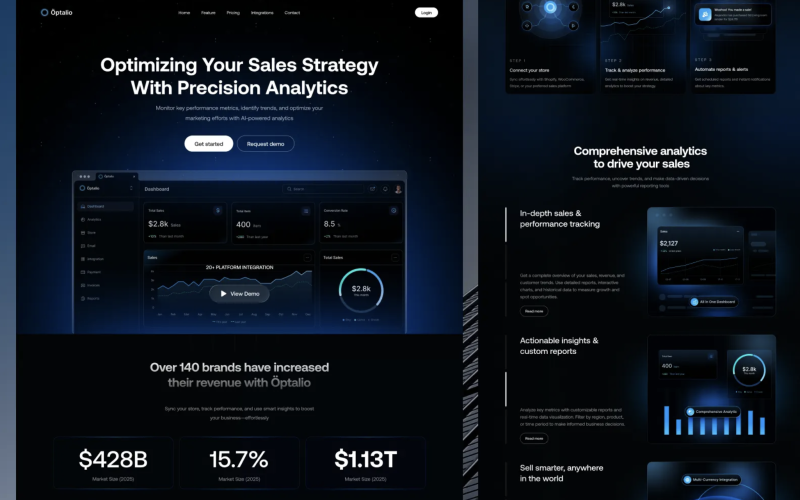
The first few seconds of a visit are decisive. The hero section must communicate the core value clearly and quickly. A well-defined visual hierarchy, consistent corporate colors, and legible typography help capture attention, while subtle micro-interactions guide the user without distracting them. Showing key data or concrete results from the start, such as “+500 companies optimized with our software,” increases credibility.
Tip: Try the “5-second test” to ensure the main message is understood instantly.
Persuasive UX: content that guides to action
A good B2B user experience not only informs but also directs the user toward action. Content should be structured into scannable paragraphs, using bullets to highlight key information. Visual comparisons, checklists, and short explanatory videos increase trust and reduce uncertainty. Social proof, such as client logos and performance figures, reinforces credibility.
Persuasive microcopy, for example phrases like “Start optimizing your processes today,” can increase conversion
UX-friendly forms
Forms are a critical point in B2B conversion. Requesting only essential information (name, company, email) and using real-time validation reduces friction and errors. Progressive forms, where data is requested in several steps, are especially effective for long processes. Integrating them with a CRM allows for immediate follow-up and improves lead management.
Strategic navigation
On extensive B2B websites, navigation must guide the decision flow.
UX Recommendations:
- Short menus (maximum 5 main categories).
- Visible breadcrumbs.
- CTAs always visible in the header and footer.
- Accessible chatbot or direct contact.
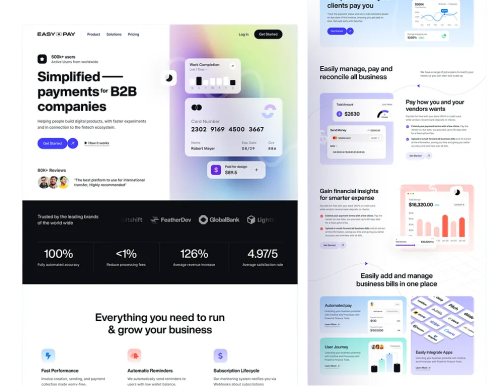
Tip: Analyze heatmaps to detect less-visited sections and optimize navigation.
Visual trust and credibility
The perception of trust is fundamental for B2B conversion. Showing real team photos, official certificates, client logos, and visible privacy policies increases perceived security. The “About Us” section should reflect clear purpose and values, while human-centric content increases user retention.
You can learn more about our team and values
Continuous measurement: Data-driven UX
B2B UX is iterative. Using tools like Google Analytics 4 to track conversion funnels, Hotjar or Clarity for heatmaps, and A/B testing for CTAs, heroes, and forms allows for design optimization based on real data. Short surveys or real-time feedback provide direct information about the user experience, allowing for rapid strategy adjustments.
Transform your B2B website today
B2B UX to increase conversion is not just about aesthetics; it is a measurable and strategic conversion strategy. A well-designed website simplifies the purchasing decision, reinforces trust, shortens the sales cycle, and generates qualified leads.
Investing in UX is investing in measurable results.
Do you want to improve your B2B website’s conversion? Turn your visitors into clients.